A VDI boot storm happens when many virtual desktops start at the same time, typically at the start of a workday. Each desktop reads its operating system files and starts its services. One desktop doing this is trivial. Many doing it together turn the shared datastore into a queue, and every user in that queue waits at a spinning cursor.
- 1Virtual desktopsBoot and log in together
- 2Hypervisor hostGPUs keep the other x16 slots
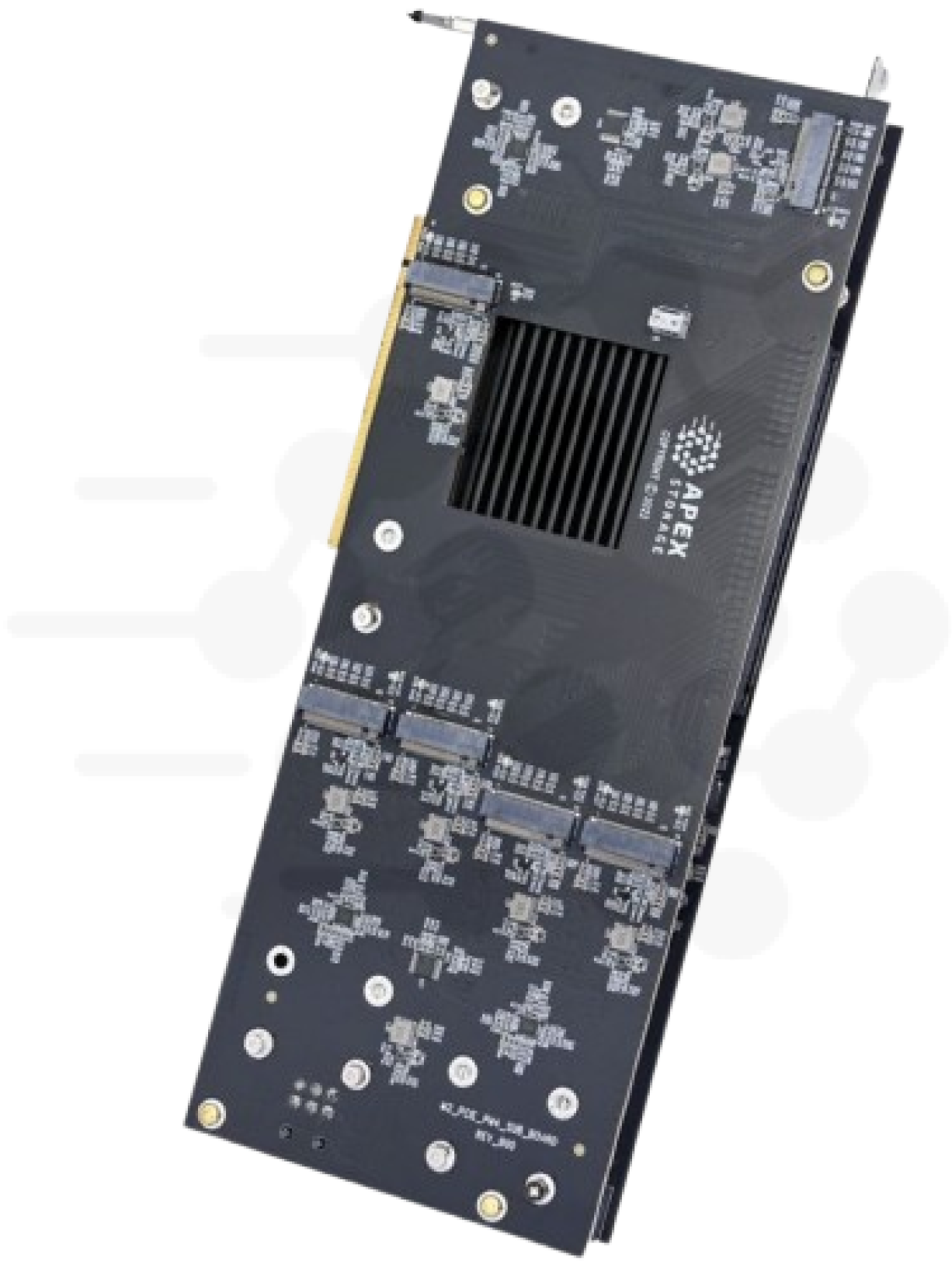
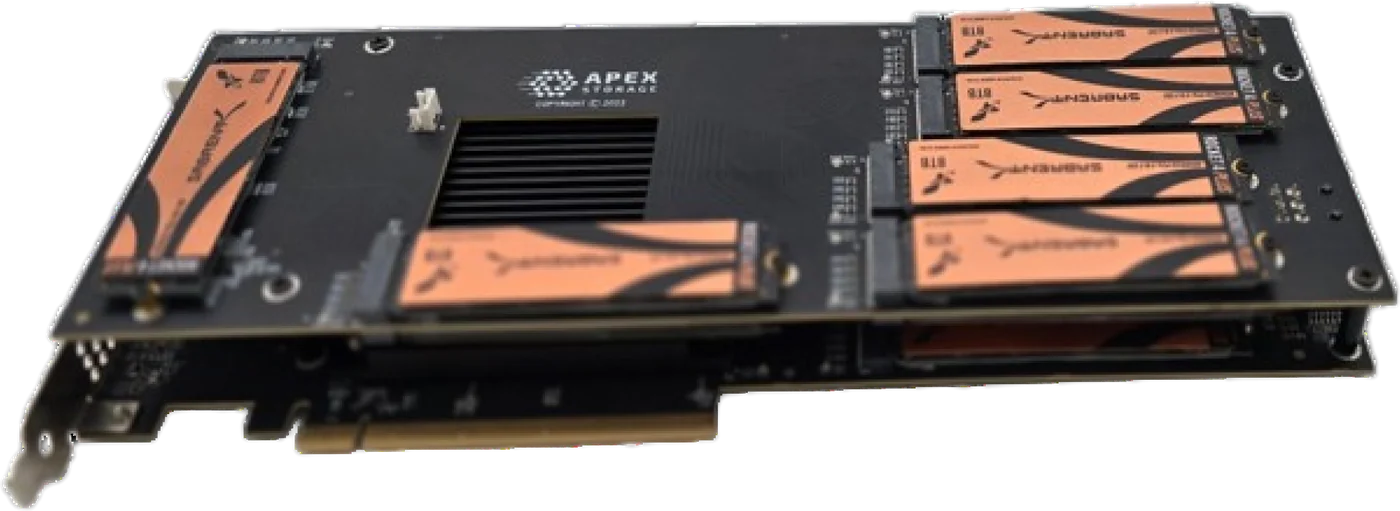
- 3Apex X21 Gen421 M.2 NVMe drives
StorageReview's lab replayed a recorded VDI boot trace against our Apex X21 Gen4. Their VDI boot trace ran at 1.99 million IOPS and 27.5 GB/s on one card. I have not run VDI traces in our own lab, so every performance number on this page is theirs, from their review "Apex Storage X21 Review: The Roaring Twenty-Ones".
What StorageReview measured
Their test host was an AMD Ryzen 9 7950X (16 cores) on an MSI X670E board with 64 GB of DDR5, running Debian. The card held 21 Samsung 980 Pro 1 TB drives, which are PCIe Gen4 M.2 SSDs. They used Vdbench, and they describe the VDI workloads as full-clone traces.
| Vdbench workload (StorageReview) | IOPS | Bandwidth |
|---|---|---|
| VDI boot | 1.99 million | 27.5 GB/s |
| VDI initial login | 1.01 million | 19.2 GB/s |
| VDI Monday login | 919 thousand | 20 GB/s |
| SQL | 3.46 million | 27.1 GB/s |
| SQL 90-10 | 3.27 million | 25.6 GB/s |
| SQL 80-20 | 3.13 million | 24.5 GB/s |
The SQL rows apply if the same hosts also run database VMs. Their fio results put 4K random reads at 6.832 million IOPS (28 GB/s) on the same card.
Dividing bandwidth by IOPS gives the average transfer size in each trace. The boot trace averages about 14 KB per I/O, and the two login traces about 19 KB and 22 KB. Those are small transfers. Throughput on that pattern depends on how many I/Os the storage can serve at once, and 21 drives each bring their own controller and queues.
I will not turn these figures into a desktops-per-host number. Nobody measured one, and the answer depends on your images, your profiles and your CPU and memory far more than on a single trace.
Why 21 drives in one slot matters on a hypervisor host
A virtualization host has a short list of x16 slots, and storage competes for them. The network cards want slots. If you deliver GPU-accelerated desktops, the GPUs want the x16 slots most of all. The X21 Gen4 puts 21 M.2 drives behind one PCIe Gen4 x16 slot through a Microchip PCIe switch, so the slot needs no bifurcation support and every other slot stays free for NICs and GPUs.
The drives appear to the host OS as ordinary NVMe devices. There is no proprietary driver in the data path, so you build the datastore with whatever the host already uses: Linux mdadm, ZFS, Windows Storage Spaces, or a hardware NVMe RAID card. That gives you a local all-flash datastore inside the server, with no storage shelf, no SAS cabling and no storage network between the desktops and their disks.
Twenty-one drives also leaves room for redundancy and a spare. Twenty drives make an even RAID 10 set or a 20-drive RAID 6 set, and the 21st drive sits as a hot spare. With 8 TB drives that is 168 TB raw, about 80 TB usable as RAID 10 or 144 TB as RAID 6, before filesystem overhead. With 16 TB drives the card reaches 336 TB raw.
Choose the RAID level with writes in mind. In our own lab, on Gen5 cards rather than the X21, Linux mdadm RAID 10 across 32 drives wrote 3.46 million 4K random IOPS while RAID 6 held at about 700 thousand, because every parity write becomes a read-modify-write on the drives. Those were Threadripper runs with the spec_rstack_overflow=off mitigation setting, so read them as a ratio, not as X21 numbers.
If you are planning a cluster rather than one box, Request Multi-Unit Quote and tell us how many hosts you are building.
Why bandwidth matters when the storm passes
Boot and login storms are bursts of mixed random I/O, and they need IOPS more than raw throughput. The other half of running a virtualization cluster is sequential. Moving a running VM between hosts that use local datastores means copying its disks over the network. A full backup reads whole virtual disks end to end. Both are bulk transfers, and both have a deadline.
Here the network sets the pace. A 25 GbE link carries 3.125 GB/s at line rate and 100 GbE carries 12.5 GB/s. StorageReview measured 27.2 GB/s of 64K sequential reads on the X21. At line rate, 10 TB of virtual disks takes about 53 minutes over 25 GbE and about 13 minutes over 100 GbE. The card would read the same 10 TB in about 6 minutes. A local datastore on this card can fill more than two 100 GbE links, so the migration or backup window depends on your network, not on the storage.
Gen4 is the right fit for most of these hosts
PCIe Gen4 x16 carries about 31.5 GB/s per direction, and the X21 Gen4's product page lists 30.5 GB/s read and 28.5 GB/s write. A Gen5 card in a Gen4 slot links at Gen4, so a host with Gen4 slots gains nothing from a Gen5 card.
The host also limits small-block I/O before the card does. StorageReview found that an Intel consumer system ran the card at x8 instead of x16, and its CPU struggled in the multi-million IOPS tests. Our lab found the same two lessons on Gen5 cards. Check that the slot is wired x16 with sudo lspci -vv and compare LnkCap with LnkSta. Expect the host CPU, not the drives, to set your IOPS ceiling.
For planning, the card draws about 95 W typical active power through two PCIe 6-pin 12 V connectors and needs at least 9.86 CFM of airflow. It runs on AMD, Intel and ARM-based systems, and the product page lists Windows, Windows Server and Linux. If 16 drives cover your datastore, the Apex X16 Gen4 holds 16 M.2 drives, up to 256 TB, with the same Gen4 x16 link.
Build your VDI hosts on Gen4. The Apex X21 Gen4 puts 21 M.2 NVMe drives and up to 336 TB in one PCIe Gen4 x16 slot. The Apex X16 Gen4 is the 16-drive option. Both Gen4 cards are in stock and ready to ship.
Related:
- Database acceleration
- NAS and SAN NVMe arrays
- Which workstation, and which slot