A 400 GbE port carries 50 GB/s at line rate, before any protocol overhead. This year in our lab, two Apex X16 Gen5 cards in one workstation read 114 GB/s from 32 M.2 drives. That works out to about 57 GB/s per PCIe slot, which is more than one 400 GbE port can move. When I size a storage head now, I start with the network link and count how many slots it takes to keep that link full. With these cards the answer is one.
- 1Apex X28 Gen528 M.2 NVMe drives, up to 448 TB
- 2Storage headCommodity server, mdadm or ZFS
- 3400 GbE NICSecond x16 slot
- 4ClientsNFS, SMB or block
This page is for anyone building a high-capacity SSD array as an all-flash NAS or NVMe SAN head out of a normal rack server. The usual recipe is a 2U chassis with a row of U.2 bays in front, a backplane, cables, and an HBA or tri-mode controller in a slot. Our cards replace that whole chain with one card in one x16 slot.
Why drives per slot decides the chassis
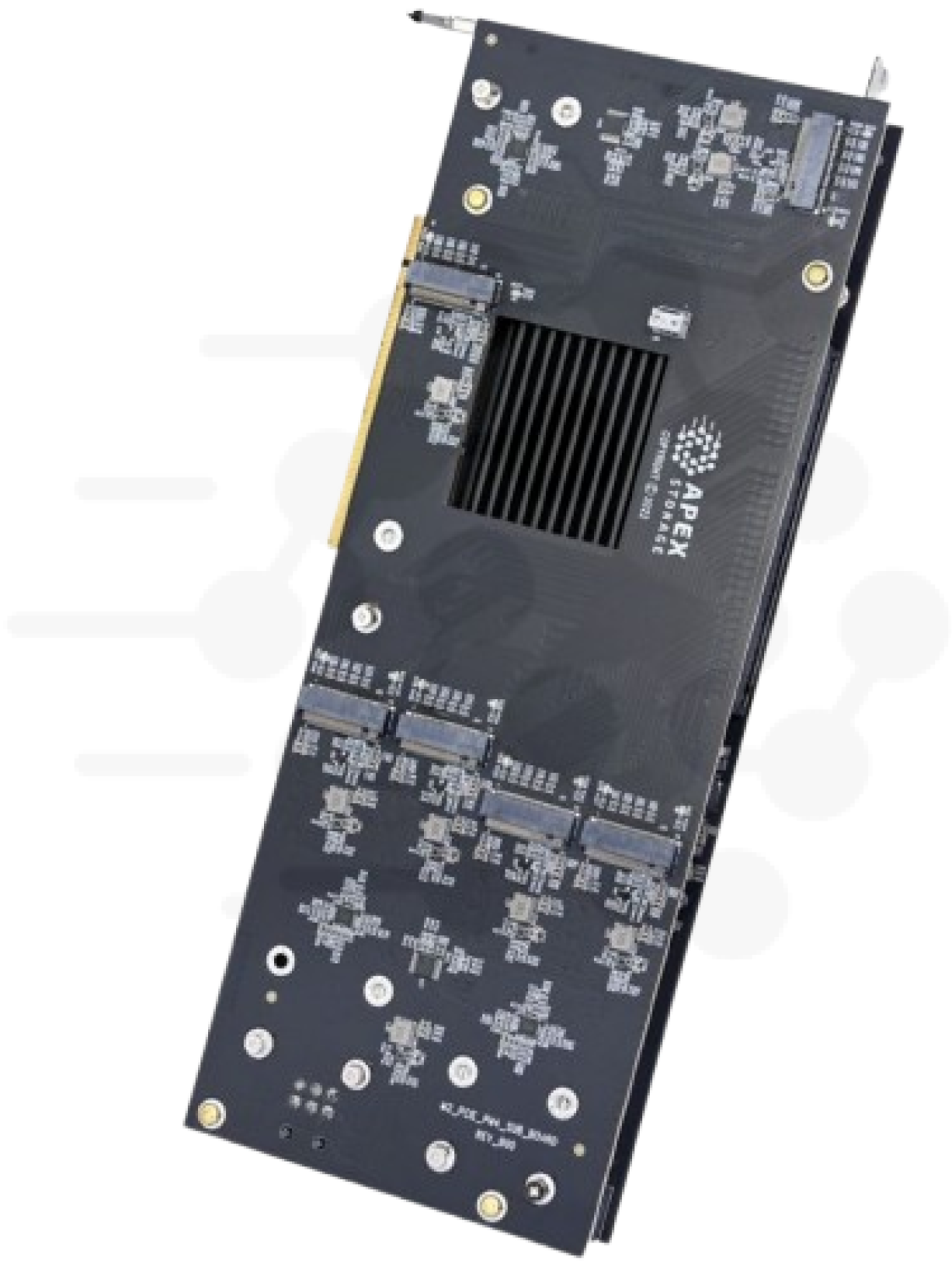
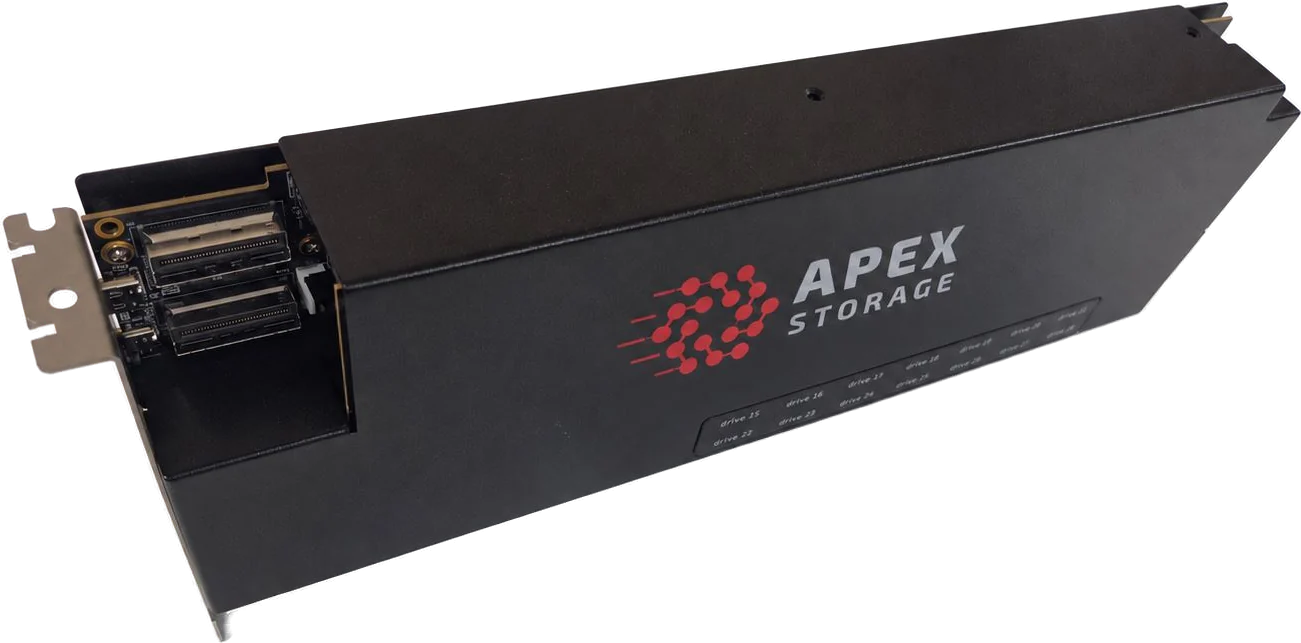
A storage head has a fixed number of PCIe slots, and every one you spend on storage plumbing is a slot you can't give to the network. The Apex X28 Gen5 holds 28 M.2 NVMe drives on one card, up to 448 TB, in a single Gen5 x16 slot. The drives install on the card and its enclosure instead of in chassis bays, and the host sees them as ordinary NVMe devices, so no drive backplane or separate HBA sits between the drives and the CPU.
That changes the build. Two X28 cards put up to 896 TB behind two slots, and a third x16 slot goes to a 100, 200 or 400 GbE NIC. You can use a server you already stock instead of a chassis chosen for its drive bays. If your capacity target is lower, one card plus one NIC is a complete head.
The X28 also has a second uplink. An optional MCIO adapter takes another x16 slot and gives the card 32 lanes to the host instead of 16. The site's 104 GB/s rating for the X28 applies to that dual-uplink setup, which is enough to feed two 400 GbE ports from one card's drives. On a single uplink, plan on what one Gen5 x16 slot carries, about 63 GB/s in each direction.
Why GB/s per slot decides the network link
Network links are rated in bits and storage in bytes, so divide by 8. A 100 GbE link carries 12.5 GB/s at line rate. A 200 GbE link carries 25 GB/s and a 400 GbE link carries 50 GB/s. Real file and block protocols deliver somewhat less than line rate.
A PCIe Gen5 x16 slot moves about 63 GB/s in each direction. On our two-card test, sequential reads reached 114 GB/s on the Threadripper host, close to the two-slot ceiling of 126 GB/s. One Gen5 card can therefore keep a 400 GbE port full on large reads. A pair can feed two 400 GbE ports, which add up to 100 GB/s.
Small random I/O tells the same story in IOPS. At 4 KiB per request, a 100 GbE link tops out near 3 million IOPS and a 400 GbE link near 12 million. Our 32 drives on two cards delivered 13.3 million 4K random reads through the stock Linux NVMe driver and 25.6 million with polled io_uring. The Threadripper campaign ran with the AMD SRSO mitigation turned off (spec_rstack_overflow=off), a security trade-off that roughly doubles kernel I/O per thread, so expect less with the default setting. In both cases the storage side can saturate the link, so the protocol stack and the network become the parts to size.
The Apex X21 Gen4 is the value option. It holds 21 drives, 336 TB+ per card, in a Gen4 x16 slot rated at 31 GB/s. That is about two and a half 100 GbE links, or a full 200 GbE link, from one card. For a head serving a 100 or 200 GbE network it is plenty.
The drives show up as plain NVMe
The cards are PCIe switches, and the drives behind them enumerate as ordinary NVMe devices. In our Linux lab every drive came up under the stock NVMe driver with its own namespace. You build the array with whatever you already run on NVMe devices: Linux mdadm, ZFS, Windows Storage Spaces, or a hardware NVMe RAID card. When a drive needs replacing, your RAID layer handles it the same way it would handle any NVMe device.
We benchmarked mdadm because it is the baseline every Linux admin knows. These numbers come from 32 drives on two X16 Gen5 cards in a Threadripper 7960X workstation, measured with fio:
| mdadm level | Result |
|---|---|
| RAID 0, 4K random read | 10.8 million IOPS |
| RAID 0, sequential read | 104 GB/s |
| RAID 10, 4K random write | 1.4 to 3.5 million IOPS as arrays are added |
| RAID 5, 4K random write | about 750 thousand IOPS |
| RAID 6, 4K random write | about 700 thousand IOPS |
Put those against the network. A RAID 0 or RAID 10 array outruns a 100 GbE link on reads, and RAID 10 at 3.5 million 4K writes is about 14 GB/s of small writes. RAID 5 at 750 thousand IOPS is about 3 GB/s of 4K writes, roughly a quarter of a 100 GbE link. Parity RAID costs you small-write throughput because every small write triggers a read-modify-write on the drives.
We have not benchmarked ZFS, NFS, SMB, iSCSI or NVMe-oF on these cards, so I won't quote numbers for them. Treat the block-level figures above as the ceiling your file or block service runs under.
Parity writes and the host CPU
Software parity RAID computes parity on the host, and each small write also costs extra reads and writes on the drives. We compared mdadm with a hardware NVMe RAID accelerator (Microchip Adaptec SmartRAID 4300 series) managing drives that sat on the Apex cards. On a 20-core Xeon w7-3445 with 8 drives, RAID 5 4K random writes went from 120 thousand IOPS on mdadm to 919 thousand on the RAID card, 7.6 times higher. On the 24-core Threadripper the 8-drive gap was similar, 123 thousand versus 965 thousand. At 32 drives it closed to 748 thousand on mdadm versus 838 thousand on the card, because mdadm's parity rate grew as we added arrays while the card's stayed near a fixed budget.
My rule for a NAS or SAN head is simple. If you need RAID 5 or RAID 6 with heavy small writes on a few drives, budget a slot for a hardware RAID card. With 32 drives on the Threadripper, mdadm came within about 11 percent of the card on RAID 5, so at that scale the slot is better spent on the NIC.
Encryption at rest without a CPU bill
Many storage heads have to encrypt data at rest. With self-encrypting drives (TCG Opal), our eight-drive tests ran at 98 to 111 percent of unencrypted performance at the same host CPU, on every RAID level we tested. The drive does the encryption, so the CPU does no extra work.
Linux LUKS behaved differently. On the Xeon workstation, with dm-crypt's default read workqueue, 4K random reads held at about 0.77 million IOPS at every drive count from 8 to 32, and the eight-drive test ran the host CPU at 96 percent. The --perf-no_read_workqueue option lifts that cap but can cut sequential reads sharply, so test it per workload. If you can buy SED drives, do that.
One trap from the lab: some workstation BIOSes send "TCG Block SID" at boot, which blocks the SID authentication that a RAID controller or sedutil needs to take ownership of Opal drives. Run sedutil-cli --query and look for "SID blocked" before you suspect the drives.
Two things to check before you benchmark
Gen5 M.2 drives need directed airflow at sustained load. In one test, repositioning the chassis fans dropped the hottest drive in the array from 80 to 51 degrees C.
Run dmesg | grep 'default/read/poll queues' before trusting any number. A careless nvme.poll_queues setting left one of our drive models with a single interrupt-driven queue for 40 CPUs. After we reloaded the driver with poll queues set to zero, those drives came up with 15 interrupt-driven queues each, and one measured 96 percent of its rated 4K random read once its read span was written.
If your host has Gen4 slots
A 200 GbE link carries 25 GB/s at line rate. The Apex X21 Gen4 is rated at 30.5 GB/s read, so one card in a Gen4 x16 slot reads faster than that link can carry. It holds 21 drives, 168 TB with today's 8 TB M.2 drives. The 16-drive Apex X16 Gen4 has the same 30.5 GB/s read rating. A Gen5 card in a Gen4 slot links at Gen4, so a Gen4 server gains nothing from a Gen5 card. Both Gen4 cards are in stock and ready to ship. For ways to lay out 21 drives, see what to do with 21 slots.
Get a quote for your build
The X28 Gen5 gives you up to 448 TB in one Gen5 x16 slot and is in stock. The X21 Gen4 gives you 336 TB+ at Gen4 rates for 100 and 200 GbE heads. Both run on Windows 10/11, Windows Server and Linux, and the product pages list the warranty terms. Tell us your network speed, capacity target and RAID level, and we will size the card count with you.
Request Multi-Unit Quote · Apex X28 Gen5 product page · Apex X21 Gen4
Related: