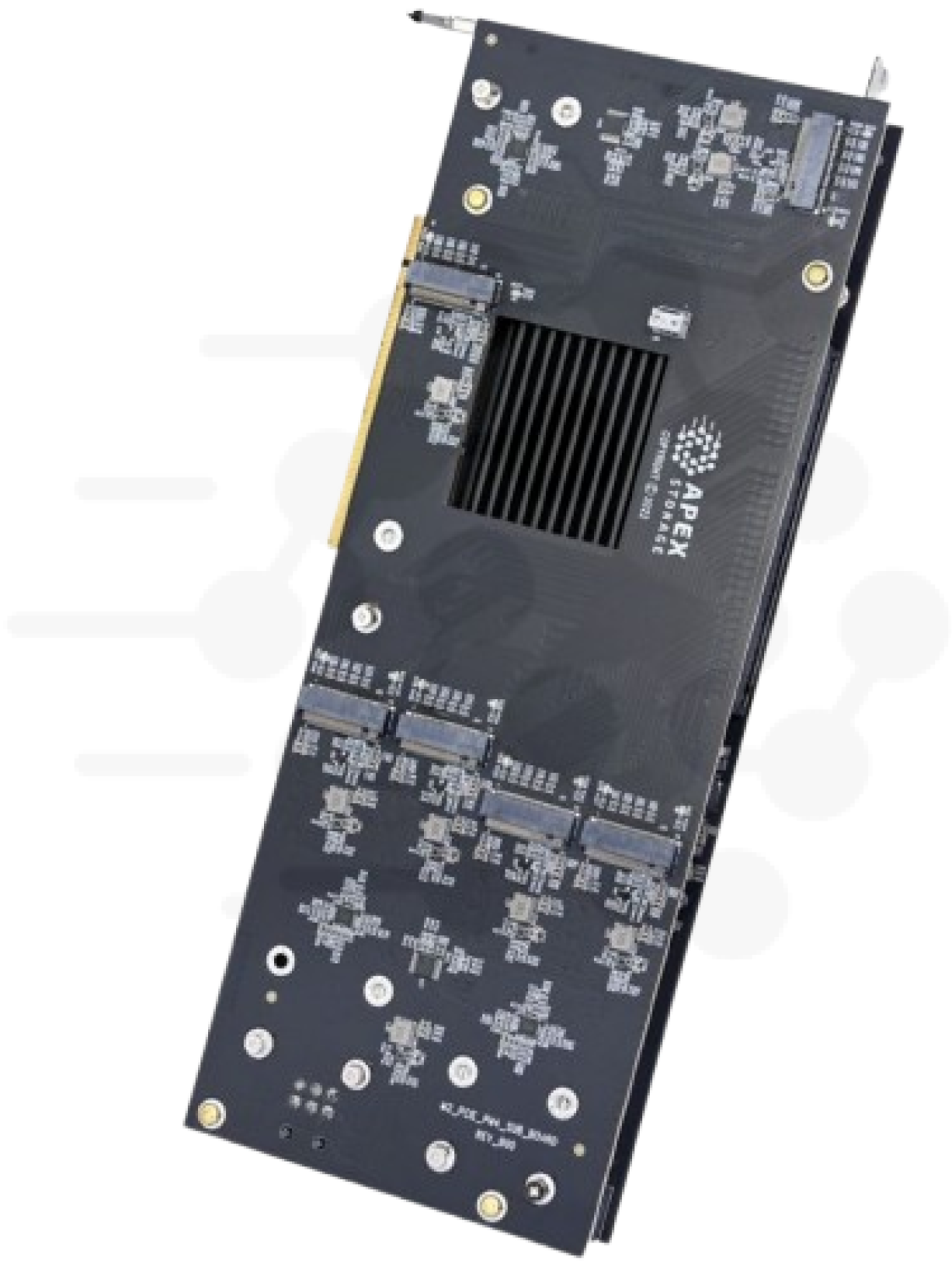
Count the x16 slots in a GPU server and then count who wants them. The GPUs take most of them. The network cards take the rest, because a training node needs fast links to its neighbors. Storage usually gets whatever is left, which is often one slot.
- 12 x Apex X16 Gen532 Gen5 M.2 drives, two slots
- 2Host CPUPCIe Gen5 root complex
- 3GPUsRemaining x16 slots
So the question for any NVMe AI storage build is simple. How much dataset and how much checkpoint bandwidth can you fit in one PCIe Gen5 x16 slot, direct and local to the GPUs instead of across a network? I spent a good part of 2026 measuring that on our own cards, and Phison and Apex put a number on it in public two years earlier.
Results at a glance
| Metric | Result |
|---|---|
| Capacity per card | Up to 256 TB (X16 Gen5), up to 448 TB (X28 Gen5) |
| Two-card sequential read, our lab (Threadripper) | 114 GB/s |
| Random reads, stock interrupt-driven driver, 32 drives | 13.3 million 4K IOPS |
| Random reads, polled io_uring, 32 drives | 25.6 million 4K IOPS |
| 70B-parameter checkpoint save at 54 GiB/s | About 19 seconds |
Why one slot has to carry the whole job
Density decides where the dataset lives. An Apex X16 Gen5 holds 16 M.2 drives and up to 256 TB in one slot, and the Apex X28 Gen5 holds 28 drives and up to 448 TB. That puts a multi-hundred-TB dataset cache inside the same chassis as the GPUs, with no storage shelf, no cables and no backplane between the drives and the PCIe bus.
Bandwidth decides whether the GPUs wait. A data loader that can't keep up leaves the GPU idle between batches, and a faster GPU only makes it wait longer. Checkpoints hit the same wall in the other direction. A synchronous save pauses the run while the drives write the checkpoint, so the write rate sets how long every save costs you.
Shuffled training adds a third pressure. A loader that shuffles samples asks for them in random order, so the drives see random reads instead of long sequential streams. When the samples are small, the random-read IOPS figure sets the ceiling on samples per second, not the GB/s figure.
Here is the checkpoint arithmetic. The ZeRO paper counts 16 bytes of model state per parameter for mixed-precision training with the Adam optimizer. The largest Llama 2 model has 70 billion parameters, so saving all of that state for a model that size writes about 1.12 TB. Sabrent reports 54 GiB/s sequential write, about 58 GB/s, for its 16-drive Apex X16 Rocket 5 Destroyer, and at that rate the save takes about 19 seconds. A single Rocket 5 4 TB drive, which Sabrent rates at 12,000 MB/s sequential write, needs about 93 seconds for the same save. Both are vendor ratings, so treat them as best cases. Multiply the gap of about 74 seconds by the number of saves in a run to get the GPU time the slower path costs.
What Phison and Apex showed at Computex
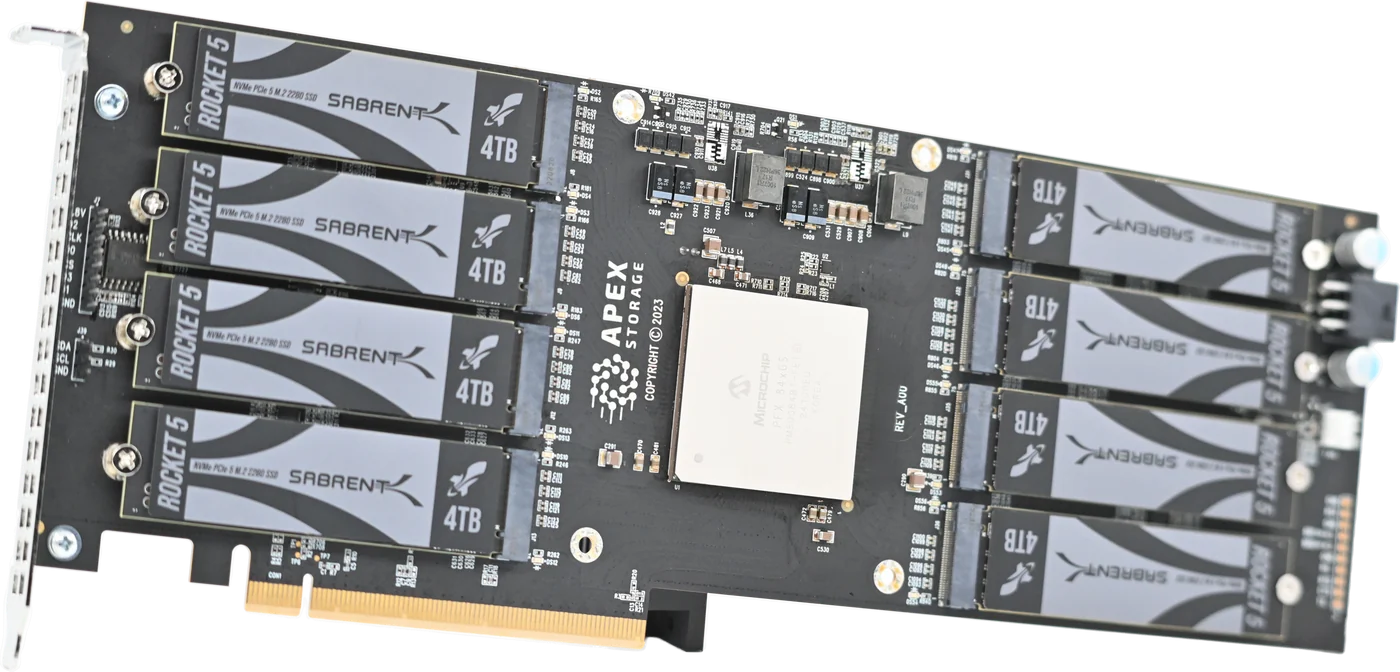
The X16 Gen5 made its public debut at Computex 2024 in Taipei in June, at Phison's booth. Phison and Apex filled it with 16 SSDs built on Phison's E26 Gen5 controller, and Phison describes it as the first PCIe Gen5 single-slot add-in card with 16 E26 drives. TweakTown reported the demo at 54.8 GB/s in a single PCIe Gen5 slot and gave it a Computex 2024 award.
Sabrent built its own version, the Apex X16 Rocket 5 Destroyer. Sabrent's early reported figures, as TechPowerUp covered on June 5, 2024, were 56 GiB/s sequential read, 54 GiB/s sequential write, 20 million 4K random read IOPS and 19 million 4K random write IOPS.
A year later, Apex Storage and Phison came back to Computex 2025 and unveiled what they announced as record-breaking NVMe performance.
Those are vendor demos. I wanted our own numbers on ordinary hosts, so we built them.
What we measured in our lab
Our test set was two Apex X16 Gen5 cards carrying 32 consumer Gen5 M.2 drives. Some were Sabrent Rocket 5 4 TB drives, which use the same Phison E26 controller as the Computex demo, and the rest were Samsung 9100 PRO. We ran them in two workstations, an HP Z8 Fury G5 with a 20-core Xeon w7-3445 and an ASUS Pro WS TRX50-SAGE with a 24-core Threadripper 7960X. Each campaign ran 800 fio benchmark cells on Debian with kernel 6.12, and the final runs rejected zero cells.
Sequential read across both cards reached 114 GB/s on the Threadripper. The Xeon stopped at 97 to 100 GB/s, and the drives were not the reason. STREAM copy on that host measured 92 GB/s of memory bandwidth, so the storage outran the RAM. If your loader decodes and augments samples in host memory before it copies them to the GPUs, host memory bandwidth is a real limit on this class of storage, and it is worth measuring on your own box.
Random reads told a more useful story. With the stock Linux NVMe driver, which completes I/O through interrupts, the 32 drives delivered 13.3 million 4K random read IOPS on the Threadripper and 6.5 million on the Xeon. On the Xeon that number stayed flat from 8 drives to 32. The limit was the host's interrupt completion path, not the drives and not the card.
Switch to polled io_uring and the picture changes. The Xeon climbed to 9.0, 18.0, 22.7 and 25.0 million IOPS at 8, 16, 24 and 32 drives. The Threadripper held 25.6 to 25.9 million. That figure is the bandwidth of the two Gen5 x16 uplinks at 4 KiB per I/O, and at 512-byte I/O the same drives reached about 47 to 51 million IOPS.
For a training pipeline this comes down to one practical rule. If your data loader uses io_uring with polling, plan on the second number, about 25.6 million 4K reads from two cards. If it uses ordinary interrupt-driven reads, plan on the first, 13.3 million on a fast host and less on a slower one. The Threadripper campaign ran with the AMD SRSO mitigation turned off (spec_rstack_overflow=off), a security trade-off that roughly doubles kernel I/O per thread, so expect less with the default setting. If you do turn on polling, size nvme.poll_queues with care. In one of our tests a careless setting left a drive with one interrupt queue for 40 CPUs. With the parameter removed and the read span written first, one of those drives measured 96 percent of its rated 4K random read.
I'll be plain about one gap. We did not run a training job on these cards, so I have no epoch time, tokens per second or GPU utilization number to give you. What I can give you is the storage ceiling, measured.
If you are sizing a rack of GPU nodes, Request Multi-Unit Quote and tell us your slot count and dataset size.
Picking the card
The X16 Gen5 is the bandwidth choice, with a 56 GB/s site rating per card and 16 drives. The X28 Gen5 is the capacity choice, with 28 drives, and up to 448 TB per card. Both are in stock. The drives show up as ordinary NVMe devices with no proprietary driver in the data path, so your loader sees plain block devices. You can stripe them with mdadm or ZFS, or hand them to a hardware NVMe RAID card. In our lab, mdadm RAID 0 across 32 drives gave 10.8 million 4K random reads and 104 GB/s sequential read.
Give the drives directed airflow. Repositioning the chassis fans in our test dropped the hottest drive from 80 to 51 degrees C under the same load. In a two-minute test the two halves of one card differed by 15 to 25 degrees C, so check where the card sits in your server's airflow.
If your GPU servers have Gen4 slots
A Gen5 card in a Gen4 slot links at Gen4. On a GPU server with Gen4 slots, a Gen4 card gives you the same link and the same result. The Apex X21 Gen4 holds 21 M.2 drives in one x16 slot, and the Apex X16 Gen4 holds 16. A shuffled loader cares most about random reads. StorageReview measured 6.83 million 4K random read IOPS at 28 GB/s on an X21 with fio and io_uring, on a 16-core AMD Ryzen 9 7950X desktop. Both Gen4 cards are in stock and ready to ship. What StorageReview measured on the X21 has their full results.
Get a quote
See the Apex X16 Gen5 product page for specifications, or the Apex X28 Gen5 if capacity per slot matters more than bandwidth.
Related: